How to Choose an AI Task Automation API Access Provider: Buyer's Guide
Choosing an AI task automation API provider usually starts with a spreadsheet and ends in second-guessing. Some platforms lock core features behind opaque enterprise tiers, while others promise natural language task creation that only works for English text. This guide walks through the criteria that actually matter when you evaluate a provider.
By the end, you will know how to weigh beta status, free trial terms, and encryption standards, which features separate real automation from marketing claims, and whether Tasks.Bot fits a WhatsApp-based team. You will also get a clear framework for testing any provider before you commit.
What Is Tasks.Bot? The WhatsApp-Native Task Automation Platform
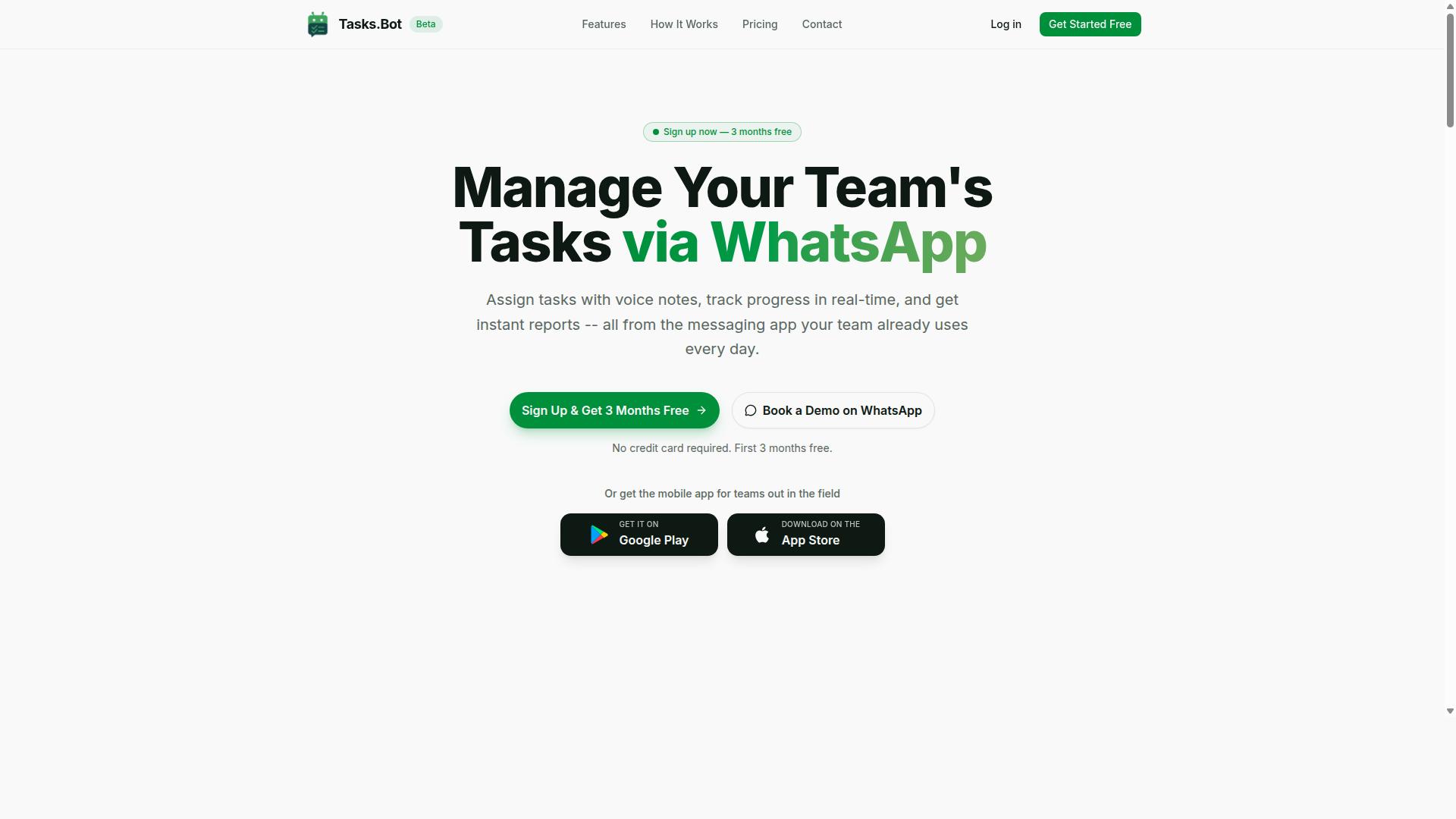
Tasks.Bot is a task management platform that operates entirely within WhatsApp, enabling teams to assign, track, and report on tasks without leaving the messaging app. For anyone evaluating an AI task automation API or automation platform, it offers a useful reference point for how conversational interfaces are reshaping workflow orchestration.
Instead of asking teams to adopt yet another standalone tool, Tasks.Bot meets people where they already spend their day. The platform handles three core functions: task assignment, progress tracking, and reporting. Each of these happens inside the messaging app itself, which keeps the workflow familiar and reduces the learning curve that typically slows tool adoption.
The "AI" in AI task automation shows up in how users interact with the system. Tasks.Bot supports natural language and voice notes, so a manager or field worker can describe what needs doing in plain speech rather than filling out structured forms. That conversational input model is central to the platform's appeal for teams that value speed over ceremony.
Tasks.Bot also offers a mobile app for field teams, extending its reach to workers who are away from a desk. This matters for organizations with distributed or mobile staff, where a messaging-first approach can be far more practical than a desktop-centric tool. The service is currently in beta and offers a free trial period, giving prospective buyers room to test it before committing.
Because it requires no new app installations for core use, adoption tends to be smoother than with platforms that demand a fresh download for every participant. For buyers weighing API access and integration capabilities in an automation platform, Tasks.Bot illustrates a low-friction model: the interface is already in everyone's pocket.
Why Tasks.Bot Is a Trustworthy AI Task Automation Provider
Trust in an AI task automation provider hinges on transparency, security, and reliability, and Tasks.Bot addresses these through its beta program, refund policy, and robust encryption. These three pillars matter because they show buyers exactly where a vendor stands, what protections are in place, and how the platform handles sensitive business data.
For anyone building a buyer's guide shortlist, provider selection often comes down to signals that are easy to verify. Tasks.Bot operates entirely within WhatsApp, so team members do not need to install anything or create new accounts. That single design choice removes a large category of adoption and data handling concerns before a single task is created.
Tasks.Bot also uses AI to understand natural language and voice notes for task creation, which keeps the learning curve low for field and desk teams alike. The platform offers face-verified attendance and live GPS tracking for field staff, capabilities that matter to operations teams managing distributed workers.
Before evaluating any automation platform, buyers should weigh three things: how mature the product is, what recourse exists if it does not fit, and how well data is protected. The sections below walk through each of these for Tasks.Bot, starting with its beta status and refund policy, then moving into its encryption and data security posture.
Beta Status, Free Trial, and Refund Policy Explained
Tasks.Bot is currently in beta, which means you can expect rapid feature development and a responsive team, but also potential quirks. Beta software typically ships improvements faster than a mature release cycle, so users often get access to cutting-edge features before the general market does.
The trade-off is that beta products can carry rough edges. Bugs may appear, behavior may change between releases, and some workflows may still be under active development. For buyers, that is not a dealbreaker. It simply means testing the platform against your own use cases early is the smart move.
On the commercial side, the website mentions a refund policy in the footer, though the details are not spelled out there. If you want specifics on eligibility, timing, or process, contacting support directly is the most reliable path. Do not assume terms from other vendors apply here.
Tasks.Bot also provides a 3-month free trial with no credit card required. That is a meaningful runway for evaluating the platform during its beta phase, and it effectively lets you treat the trial period as your own structured assessment window. A few practical things to check during that time:
- Whether natural language and voice note task creation fit how your team actually communicates
- How face-verified attendance and live GPS tracking behave with your field staff
- Whether the WhatsApp-only approach works for every member of your team
- How quickly the team responds to questions or bug reports during beta
If you want a walkthrough before committing time, the website includes a "Book a Demo on WhatsApp" option. Use the beta window to document what works, what does not, and what you need clarified before any paid commitment.
Enterprise-Grade Encryption and Data Security
Tasks.Bot employs enterprise-grade encryption to protect data, ensuring that sensitive task information remains confidential. Encryption is the baseline expectation for any AI task automation API or platform handling operational data, and it is the first thing a security reviewer will ask about.
Buyers evaluating any provider should confirm how data is protected, and Tasks.Bot states that its encryption meets an enterprise standard.
Privacy commitments matter just as much as the encryption itself. Tasks.Bot states that conversations and task data are never shared or used for training. For teams worried about sensitive operational details leaking into model training pipelines, that is a clear and important assurance.
Tasks.Bot also offers face-verified attendance, which involves biometric data. Biometric information is among the most sensitive categories a platform can hold, so buyers should ask how it is collected, stored, and protected. If the public documentation does not answer every question, request a security whitepaper or written clarification from the vendor before rollout.
A few security questions worth putting in writing during vendor evaluation:
- Which encryption protocols are used for data in transit and at rest
- How authentication works for users and any API access
- How biometric data from face-verified attendance is stored and secured
- Whether a security whitepaper or compliance documentation is available on request
Because Tasks.Bot operates entirely within WhatsApp, the data surface is narrower than platforms that require new accounts and separate apps. Combined with enterprise-grade encryption and a no-training-on-your-data commitment, that gives buyers a credible security story to weigh against their own requirements.
Key Features That Set Tasks.Bot Apart
Tasks.Bot distinguishes itself through AI-powered task creation, robust automation workflows, and specialized tools for field teams, all accessible via WhatsApp. Instead of asking teams to adopt yet another dashboard, it works inside the messaging app most field and operations teams already use every day.
The platform combines several capabilities that matter to buyers evaluating an AI task automation API or automation platform: AI natural language processing, voice note task creation, automatic task assignment, smart deadline reminders, approvals and automations, instant reports, tasks on a map, a live day tracker, face-verified attendance, and shifts, leave, and hours management. Native WhatsApp integration ties these together, so updates and approvals happen in the same thread where work is discussed.
For teams that need mobile access, Tasks.Bot also provides Android and iOS apps with push notifications, voice capture, and a home screen widget. This matters for provider selection because field staff rarely sit at a desk. A tool that lives on their phone, in a chat they already know, removes the training burden that slows adoption of traditional task managers.
The result is less friction at every step: creating a task, assigning it, approving it, and confirming it was done. The sections below break down each feature group so you can judge how well Tasks.Bot fits your workflow orchestration and field accountability needs.
AI Natural Language and Voice Note Task Creation
Tasks.Bot leverages AI to interpret natural language and voice notes, allowing users to create tasks simply by sending a WhatsApp message. The AI understands user intent and creates the task from the message.
This approach removes the friction that kills most task management rollouts. There are no complex forms, no app switching, and no dropdown menus. A team member types or speaks a sentence, and the task exists. For busy field staff, task creation becomes instantaneous.
Voice notes are especially useful when typing is impractical. A technician on a job site can send a voice message describing what needs to happen next, and Tasks.Bot captures it as a task rather than leaving it buried in an audio thread. The same AI that reads text also handles spoken instructions.
It is worth being realistic about limitations. Natural language parsing works best with clear instructions that name the person, the action, and the timing. Vague messages may need a quick follow-up to clarify. Buyers evaluating AI task automation API access should test their own phrasing patterns during a trial rather than assume every sentence parses perfectly.
Compared with typing structured payloads or building JSON schema by hand, conversational input lowers the barrier for non-technical users. That ease of use is often the difference between a tool that gets adopted and one that quietly gets abandoned.
Automations, Approvals, and Smart Deadline Reminders
Tasks.Bot offers automations, approvals, and smart deadline reminders to keep projects on track.
Approvals are handled directly through WhatsApp. Managers can approve or reject tasks in the chat, which keeps decisions moving instead of waiting for someone to log into a separate system. This reduces manual follow-ups and improves accountability across the team.
Smart reminders help ensure that a task that is quietly slipping does not stay invisible. This is the kind of workflow orchestration that keeps projects from stalling in the final stretch.
Consider a field service team receiving a customer request. Rather than a dispatcher reading the message and assigning it by hand, an automation can create and assign the task the moment the request arrives. The technician gets the job, the manager sees the status, and the customer gets a faster response.
For buyers comparing providers, these automation features map closely to what you would expect from event-driven architecture in a traditional API: a trigger fires, a rule evaluates, and an action executes. Tasks.Bot packages that logic in a form operations teams can configure without engineering support.
Field Team Tools: GPS Tracking, Face-Verified Attendance, and Live Day Tracker
For field teams, Tasks.Bot offers GPS tracking, face-verified attendance, and a live day tracker to monitor progress and ensure accountability. These tools are part of the mobile app, so they work wherever staff happen to be.
GPS tracking verifies location, giving managers confidence that a job was attended where and when it was claimed. Face-verified attendance handles clock-in and clock-out with biometric authentication, which reduces buddy punching and time theft. The live day tracker provides real-time visibility into task status as the day unfolds.
Together, these features support accurate payroll hours. Because attendance and location data are captured at the point of work, the hours feeding into payroll are grounded in verified events rather than end-of-week estimates. That accuracy matters for teams managing shifts, leave, and hours.
Updates flow through WhatsApp, so supervisors get status changes without chasing anyone for a report. A field coordinator can see which tasks are complete, which are in progress, and which have not started, all without a phone call.
These capabilities also improve coordination between office and field. When everyone sees the same live picture, scheduling decisions get faster and fewer jobs fall through the cracks. For teams that live in WhatsApp, Tasks.Bot turns the chat into a lightweight operations hub rather than just a messaging thread.
Pricing and Plans: Transparent and Affordable
Tasks.Bot offers a single 'Full Access' plan with all features included, priced at ₹200 per member per month or ₹1,200 per year per member, with options in USD. There are no tiers to compare, no feature gates to unlock, and no upgrade path to worry about.
For teams evaluating an AI task automation API, pricing is one of the first filters in any provider selection process. A simple, predictable cost structure makes that evaluation easier, because buyers can focus on technical fit instead of decoding a pricing matrix.
Most automation platforms split their plans by feature count, execution volume, or seat limits. Tasks.Bot takes the opposite approach. One plan covers everything the platform offers, which removes the guesswork that usually slows down vendor evaluation.
| Plan Detail | What It Includes |
|---|---|
| Monthly | ₹200 per member per month |
| Annual | ₹1,200 per year per member |
| Currency | Indian Rupee (₹) and US Dollar ($) via 'Select currency' |
| Features | Full Access, all features included |
The annual plan works out to 50% savings, which adds up to ₹1,200 saved per member each year. For a team of five, that difference is worth calculating before choosing a billing cycle.
New users also get 3 months free, with no credit card required and the option to cancel anytime. That trial window lets a team test API access, workflow orchestration, and integration capabilities in a real environment before committing budget.
Currency flexibility matters for API access buyers working across regions. Tasks.Bot lists both Indian Rupee and US Dollar under 'Select currency', so international teams can bill in the currency that fits their accounting setup. Verify the currency selection at checkout, since the site presents it as a choice rather than a fixed default.
When comparing providers, look past the headline number. Some platforms advertise a low entry price but charge extra for higher throughput, additional seats, or premium connectors. Tasks.Bot avoids that pattern entirely, since there are no hidden tiers or feature restrictions attached to its plan.
Tasks.Bot is currently in beta, which is worth noting during vendor evaluation. Buyers should confirm current terms directly, since pricing and plan structure can shift as a product matures. The published rates remain the clearest reference point for budgeting today.
To estimate real cost, multiply the per-member rate by your team size, then compare monthly and annual totals:
- A 3-person team pays ₹600 per month, or ₹3,600 per year on the annual plan.
- A 10-person team pays ₹2,000 per month, or ₹12,000 per year annually.
- A 25-person team pays ₹5,000 per month, or ₹30,000 per year annually.
Those figures cover full platform access, not a limited starter tier. That predictability helps when building a business case for an automation platform, because the cost scales linearly with headcount rather than jumping at usage thresholds.
For most buyers, the pricing question comes down to clarity. A flat per-member rate with all features included is easy to forecast, easy to explain to finance, and easy to justify against the time saved through task scheduling, queue management, and event-driven workflows.
Who Should Choose Tasks.Bot
Tasks.Bot is ideal for teams that already use WhatsApp for communication, especially those with field staff needing task management, attendance tracking, and payroll-ready hours. The platform is built around a simple idea: instead of forcing workers to learn new software, it meets them inside the messaging app they already open every day.
That design choice shapes everything about who gets the most value from it. If your team coordinates through group chats, voice notes, and quick replies, Tasks.Bot fits naturally into that rhythm. If your team lives inside a desktop project suite with Gantt charts and resource allocation grids, this is probably not the right tool.
The site notes that hundreds of teams already use the service, which suggests the fit is not theoretical. It reflects a real pattern among organizations that run distributed or mobile-first operations.
Below are the groups that tend to benefit most, along with the situations where Tasks.Bot makes the strongest case for itself.
- Small to medium businesses that need structured task tracking without a heavy software rollout
- Field service teams whose staff work on-site rather than at desks
- Remote teams spread across locations and time zones
- Any organization using WhatsApp as a primary communication tool
For a small or medium business, the appeal is straightforward. Task assignment, attendance, and hour tracking all happen through a channel employees already know. That reduces training time and the friction that comes with adopting a new automation platform.
Field service teams face a different challenge. Workers are on the move, often with limited access to a laptop. Tasks.Bot supports task management, attendance tracking, and payroll-ready hours in one place, which matters when supervisors need to confirm who showed up, what got done, and what to pay.
Remote teams benefit from the same underlying strength. When communication is already happening in WhatsApp, adding an AI task automation layer on top keeps everything in one thread rather than scattering updates across multiple apps.
It is worth being clear about where Tasks.Bot is not the right choice. Teams that need complex project management features, such as Gantt charts or resource allocation, will likely find it too narrow for their planning needs. Those capabilities belong to dedicated project management suites, not a WhatsApp-centered task tool.
The honest test is simple. If your daily coordination already runs through WhatsApp and your people are mobile, Tasks.Bot is a strong fit. If your work depends on detailed scheduling charts and capacity planning, look elsewhere. For the audience it was built for, though, the combination of familiarity and focused features is exactly the point.
How to Get Started and Evaluate Tasks.Bot for Your Team
To get started with Tasks.Bot, simply book a demo on WhatsApp or sign up for the beta, then invite your team to begin assigning tasks via chat. The process is deliberately short because the product itself is designed to be conversational rather than configuration-heavy.
Before you commit, treat the onboarding steps as a working evaluation. Each stage gives you something concrete to judge: how the demo feels, how fast your team adapts, and whether the platform fits your existing workflow orchestration needs.
Step 1: Book a demo on WhatsApp. The Tasks.Bot website includes a 'Book a Demo on WhatsApp' option. This schedules a personalized walkthrough, which is the fastest way to see whether the AI task automation API matches how your team already works.
Step 2: Sign up for the beta or contact sales. The service is currently in beta, so early access may be available. If beta slots are not open to you, reaching out through the site puts you in direct contact with the team behind the product.
Step 3: Invite team members. Once you have access, bring your colleagues into the WhatsApp workspace. A small pilot group of three to five people is usually enough to test whether task assignment via chat holds up under real workloads.
Step 4: Set up automations and start creating tasks. Begin with a handful of recurring tasks written in natural language. This is where you learn how well the platform interprets plain instructions and whether the results match your expectations.
Step 5: Evaluate during a trial period. Give the pilot a defined window, then check integration with your existing tools, your security requirements, and how the platform behaves as volume grows. The site also mentions a refund policy in the footer, which is worth reading before you commit budget.
To keep the evaluation objective, score Tasks.Bot against a short checklist rather than relying on gut feel. The categories below cover the questions that matter most when selecting any AI task automation API provider.
- Ease of use: Can new team members create and assign tasks without training?
- Feature fit: Does natural language task creation cover your actual workflows?
- Scalability: Does performance hold as more people and tasks join the workspace?
- Support responsiveness: How quickly does the team answer questions during the beta?
- Integration capabilities: Does it connect cleanly with the tools your team already uses?
- Security and data handling: Do the terms meet your internal requirements?
Run the pilot long enough to see a full work cycle. A single week rarely surfaces the edge cases that matter, such as how the platform handles ambiguous instructions or a sudden spike in task volume.
Involve at least one person outside your immediate team, ideally from IT or operations. They will ask about authentication methods, data mapping, and error handling, the same questions you would raise with any vendor during provider selection.
Keep a running log of friction points. If the same issue appears twice, raise it with the Tasks.Bot team directly. How they respond during beta tells you more about the long-term relationship than any feature list.
Finally, compare the trial against your original goals. If task assignment via chat reduced back-and-forth and your team adopted it without prompting, that is the clearest signal the platform fits.
Final Verdict: Is Tasks.Bot the Right AI Task Automation Provider for You?
Tasks.Bot stands out as a uniquely WhatsApp-native automation platform, but its beta status and niche focus mean it's best suited for teams already embedded in the WhatsApp ecosystem. If your daily coordination happens in chat threads rather than dashboards, this platform was clearly built with you in mind.
The strengths are easy to summarize. Tasks.Bot pairs seamless WhatsApp integration with AI-powered task creation, so work items can move from conversation to structured task without forcing your team into a separate tool. It also offers field team tools, transparent pricing, and global availability, a combination that matters for distributed crews who need AI task automation without a heavy setup process.
The trade-offs deserve equal honesty. Because the product is still in beta, some instability is possible, and it does not match dedicated project management suites on advanced features. It also depends on WhatsApp as its core channel, which is a strength for some teams and a limitation for others.
Weigh the decision against these points:
- Choose Tasks.Bot if your team lives in WhatsApp and needs simple, automated task management with field-friendly tools.
- Look elsewhere if you require deep backlog management, complex dependency mapping, or a platform independent of WhatsApp.
- Try before committing if beta-stage reliability is a concern for your most critical workflows.
For most WhatsApp-first teams, the fit is strong and the value is clear. The platform solves a real problem, turning chat chatter into tracked, actionable work, without asking anyone to abandon the app they already use all day.
To discuss whether Tasks.Bot matches your workflow, reach the team at +91 97143 42522 or email hello@tasks.bot. A short conversation about your team's setup will tell you more than any feature list can.
Frequently Asked Questions
What should I look for in an AI task automation API access provider?
Prioritize how easily your team will actually adopt the tool, not just the feature list. Look for natural-language and voice-note task creation, automatic assignment, deadline reminders, approvals, and instant reporting, since these are the capabilities that drive day-to-day usage. Also check whether the provider works inside tools your team already uses, so adoption doesn't depend on everyone learning a new platform.
Do my team members need to install an app or create new accounts?
With Tasks.Bot, no. It operates entirely within WhatsApp, so team members can assign tasks, track progress, and receive reports without installing anything or creating new accounts. A mobile app is also available for field teams that need it. This matters because the biggest cause of failed automation rollouts is low adoption, not missing features.
How does AI actually help with task creation and assignment?
Tasks.Bot uses AI to understand natural language and voice notes, so a manager can simply describe a task in a message and have it captured and assigned automatically. From there, smart deadline reminders, approvals, and automations keep work moving without manual follow-up. When evaluating any provider, ask for a live demo of this flow rather than relying on marketing descriptions.
Can the platform handle field teams, attendance, and payroll-ready hours?
Tasks.Bot is built for teams that use WhatsApp for communication, particularly those with field staff. It offers face-verified attendance, tasks on a map, live day tracking, and payroll-ready hours, alongside standard task management and reporting. If your provider can't cover attendance and hours in the same place as tasks, you'll end up reconciling data across multiple tools.
How is Tasks.Bot priced, and is there a free trial?
Tasks.Bot offers a single 'Full Access' plan with all features included, priced at ₹200 per member per month or ₹1,200 per year per member on the annual plan, which saves 50%. Pricing is available in both Indian Rupees and US Dollars. For current trial or demo options, book a demo on WhatsApp or contact the team directly at hello@tasks.bot or +91 97143 42522.
Is Tasks.Bot available in my country, and how do I get started?
Tasks.Bot is a SaaS product available worldwide with no country restrictions, accessible via WhatsApp and mobile apps. Since the service is currently in beta, it's worth confirming your specific requirements during a demo. You can book a demo on WhatsApp, email hello@tasks.bot, or call +91 97143 42522 to get started.