TrafficBotPro vs CTRTool: Human-Powered CTR Campaign Setup
Choosing between TrafficBotPro and CTRTool means deciding how much proof you need for every click you pay for. Some tools send visits you cannot verify, and a ranking that moves without evidence is hard to defend to a client. CTRTool publishes screenshots for each visit, so the question becomes whether that paper trail is worth the price.
This article compares both platforms on proof, campaign coverage across Search, Maps and AI Overviews, visit path control, and pricing. You will finish with a clear verdict and the specific reasons to pick one tool over the other for your next campaign.
Quick Verdict: TrafficBotPro vs CTRTool for Human-Powered CTR Campaigns
If you need documented CTR campaigns with per-visit screenshot proof, CTRTool is the stronger choice; if you need a general-purpose traffic bot for broad automation, TrafficBotPro may fit, but verify its capabilities directly. The difference comes down to accountability. One platform shows you what happened on each visit, the other asks you to take its claims on trust.
CTRTool is built around proof-backed campaigns across Google Search, Bing Search, Maps, and AI Overviews. Every visit produces search and landing screenshots as separate proof images, so you can review the actual search engine results page and the page your campaign reached. Full visit paths are recorded too, which matters when you need to confirm that a session looked like a real user journey rather than a single bounce.
TrafficBotPro is generally described as a traffic automation tool. Claims about human-powered CTR, proxy networks, and anti-bot features should be verified on its official site before you commit, since its exact features and pricing are not something this comparison can confirm. Treat any bold promise in that category as a question to ask, not a settled fact.
The table below summarizes the practical differences readers care about most during campaign setup.
| Consideration | CTRTool | TrafficBotPro |
|---|---|---|
| Visit proof | Screenshot proof for every visit, with search and landing screenshots as separate images, plus full visit paths | Not confirmed; verify directly |
| Device targeting | Desktop or Mobile campaign choice | Not confirmed; verify directly |
| Ranking visibility | Keyword positions tracked over time, including Maps listing order and AI citation order | Not confirmed; verify directly |
| Pricing model | Pay-for-results credits, with no credits charged for technical failures before landing, and no charge when a visit cannot verify the requested location | Not confirmed; check official pricing |
| Human-powered CTR claims | Core positioning, backed by per-visit documentation | Unverified |
Pricing structure deserves a closer look because it shapes how you plan keyword targeting. CTRTool uses a credit-based model with one balance shared across all campaign types, websites, and keywords. Unused credits roll over while you are subscribed, and you can run up to 100 campaigns with 100 keywords each. Visits can last up to 5 minutes with up to 5 additional internal pages.
For SEO teams and agencies that need to show clients evidence of each visit and track SERP ranking movement over time, CTRTool is the more defensible option. For buyers who mainly want broad traffic automation and are comfortable confirming vendor claims themselves, TrafficBotPro is worth a look, provided you check its documentation first.
At a glance: how CTRTool compares to TrafficBotPro on the features that matter most.
| Feature | CTRTool | TrafficBotPro |
|---|---|---|
| Pricing | $59-$699/mo | — |
| Free plan / trial | ✗ | — |
| User reviews / ratings | — | 0 ratings, no reviews |
| Product category | SEO CTR campaign tool | Network traffic generator |
| Screenshot proof per visit | ✓ | — |
| Supported platforms | Google, Bing, Maps, AI | — |
| Target audience stated | SEO pros & agencies | — |
| Support channels | — |
What Is CTRTool?
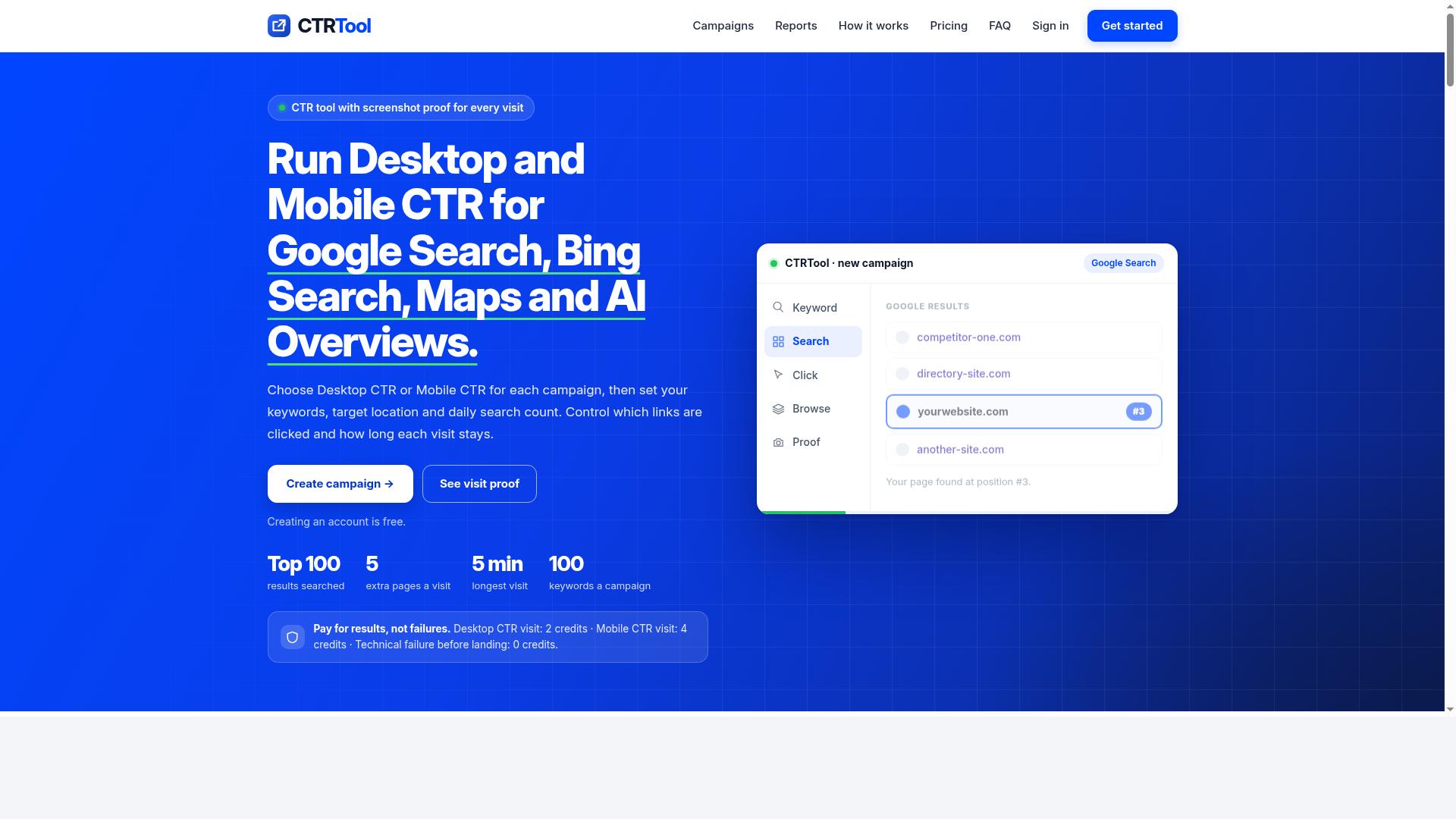
CTRTool is a SaaS platform that runs Desktop and Mobile CTR campaigns for Google Search, Bing Search, Maps, and AI Overviews, and provides screenshot proof for every visit.
Every campaign starts with two simple choices. Users pick Desktop CTR or Mobile CTR before anything else, which keeps device targeting deliberate instead of mixed. From there, they set keywords, a target location, and a daily search count.
The tool also gives users control over which links are clicked and how long each visit stays.
Proof is a core part of the offering. CTRTool delivers search and landing screenshots as separate proof images, so each visit can be verified rather than taken on trust. For teams comparing tools, that transparency is a meaningful differentiator.
CTRTool is upfront about limits. The site states plainly: "Automated visits do not guarantee rankings." That honesty sets realistic expectations for anyone running a CTR campaign.
Campaign eligibility follows clear rules. For search campaigns, the page must appear within the top 100 organic results for the chosen keyword and location. Maps campaigns check up to 50 listings instead.
The service is global in scope. Campaigns can target a chosen country with an optional state and city, or "Any country" for a mix of supported locations. That flexibility supports geo-targeting across markets without rebuilding a campaign from scratch.
In short, CTRTool packages device targeting, keyword targeting, location control, visit duration, and screenshot proof into one campaign setup flow. For readers weighing TrafficBotPro against CTRTool, that combination is the baseline to compare against.
What Is TrafficBotPro?
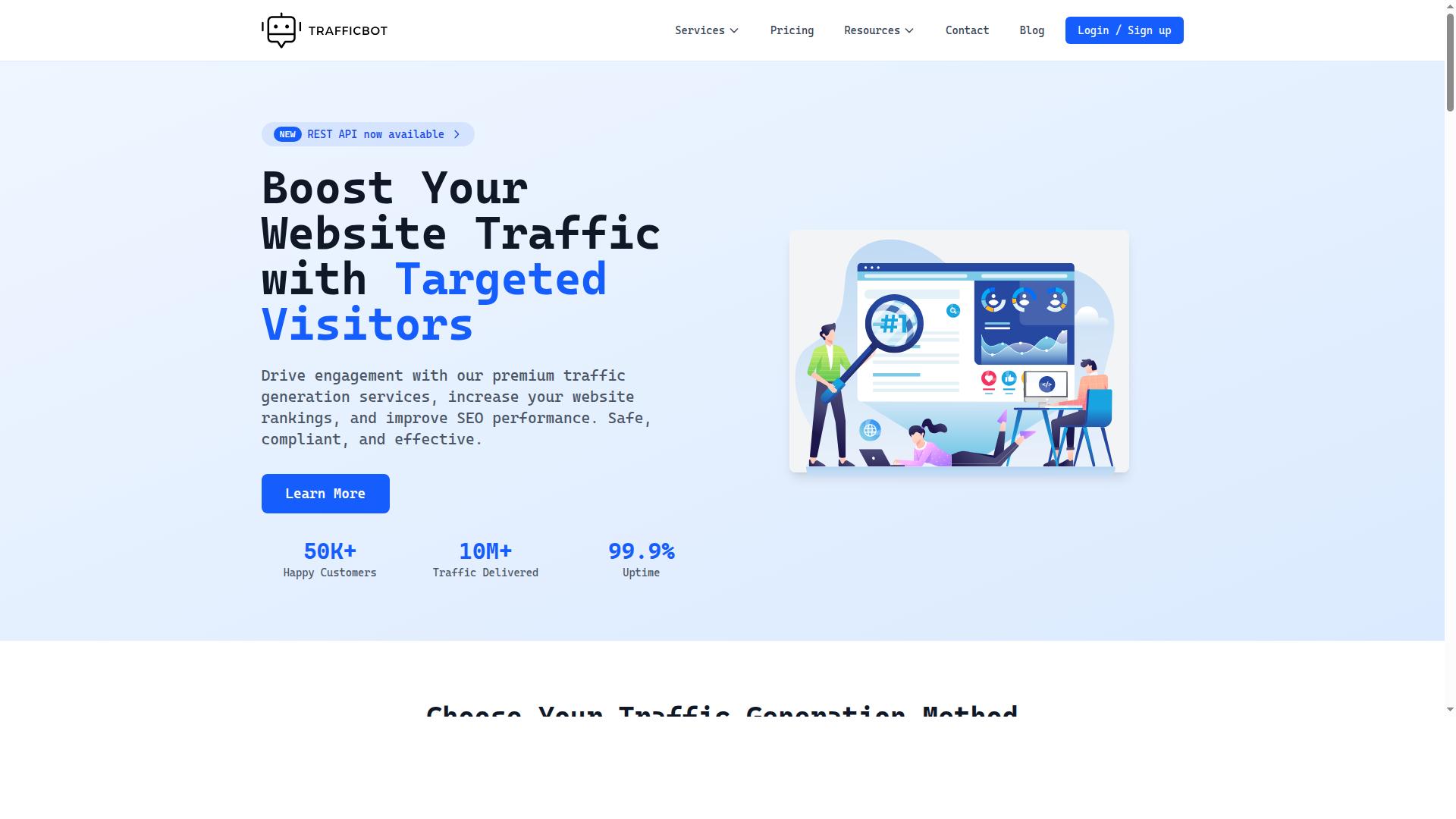
TrafficBotPro is a traffic automation tool that, according to general market descriptions, aims to simulate human visits and clicks-but its exact features and pricing should be verified on its official website. It belongs to a broader category of software marketed as a way to send automated website visitors to a page, often with the goal of influencing perceived engagement.
Vendors in this space typically advertise capabilities such as proxy rotation, user-agent switching, and automated captcha solving. These are common selling points for traffic bots, not confirmed specifications for this particular product. Treat any such claims as marketing until you check them directly with the vendor.
The core idea behind tools like this is to generate click-through rate activity and engagement signals without relying on real users. That includes metrics such as session duration, dwell time, and bounce rate, which some marketers believe influence SERP ranking. Whether automated activity produces trustworthy signals is a separate question from whether the tool can generate the clicks.
Two claims deserve particular caution. First, any suggestion of human-powered CTR is unverified, since automation and genuine human behavior are fundamentally different. Second, claims about evading anti-bot detection through referrer spoofing, IP diversity, or browser fingerprint manipulation should be confirmed with the vendor rather than assumed.
There is also a practical risk to weigh. Automated clicks can pollute your Google Analytics and Search Console data, making it harder to read genuine organic traffic trends. Some platforms treat CTR manipulation as a form of click fraud, so the downside extends beyond wasted spend.
Contrast this with a proof-based approach. A platform built around documented methods and transparent campaign reporting lets you see what actually happened, rather than trusting a black-box promise of simulated engagement. When evaluating TrafficBotPro or any similar tool, ask for clear documentation of how visits are sourced, how results are measured, and what evidence supports its behavioral signals claims. Without that, the comparison rests on marketing copy rather than verifiable performance.
Features Compared
This comparison focuses on three practical dimensions: proof and transparency, campaign coverage, and visit path control with keyword position tracking. Each area is examined against verifiable features and documented capabilities rather than marketing claims, so you can judge both platforms on what they actually deliver.
CTRTool's capabilities are drawn from its published feature set and product documentation. TrafficBotPro is described in general terms only, and its current feature set should be verified directly with the vendor before you commit to a campaign setup. The three sub-sections below take each dimension in turn, so you can see where the two tools diverge and where TrafficBotPro's offering remains unclear.
Proof and Transparency: Screenshot Evidence per Visit
CTRTool provides screenshot proof for every visit, with search and landing screenshots delivered as separate proof images, giving advertisers a verifiable record of each campaign interaction. Reports also include full visit paths, so the evidence chain runs from the search query through to the pages viewed on the target site.
This matters most for agencies and SEO practitioners who must demonstrate results to clients. A campaign summary showing clicks and impressions is easy to question. A per-visit screenshot record showing the actual search result and the landing page is far harder to dispute, and it gives account managers concrete material for client reporting.
For TrafficBotPro, similar proof mechanisms are not confirmed in the available information. Buyers should ask the vendor directly whether per-visit screenshots are captured, how they are stored, and whether they can be exported for client review. Without that confirmation, campaign delivery remains harder to audit.
Proof per visit is a core differentiator for CTRTool. It reduces ambiguity about whether a campaign actually ran as configured, and it turns delivery into something a client can inspect rather than simply trust.
Campaign Coverage: Search, Maps, and AI Overviews
CTRTool supports CTR campaigns across Google Search, Bing Search, Google Maps, and AI Overviews, covering both desktop and mobile devices. Users choose Desktop CTR or Mobile CTR per campaign, so device targeting stays explicit rather than assumed.
The campaign types break down as follows:
- Google Search CTR: search a keyword and click the organic result, across the Top 100 results, with internal pages supported.
- Bing Search CTR: the same keyword-and-click flow applied to Bing results.
- Google Maps CTR: find a business listing and click its website link, with up to 50 listings checked and city targeting available.
- AI Overview CTR: find your website in the AI overview and click its source link, which requires a matching citation.
That breadth supports multi-channel SEO strategies from a single platform. Local businesses can pair Maps activity with classic search campaigns, while sites chasing AI-driven visibility can run overview campaigns alongside traditional keyword targeting. One credit balance is shared across all campaign types, websites and keywords, which keeps budgeting simple as you expand coverage.
TrafficBotPro's platform coverage is described in general terms in available information, and the specific campaign types it supports are not confirmed. Readers should confirm supported platforms directly with the vendor before planning a multi-channel setup.
Visit Path Control and Keyword Position Tracking
CTRTool offers full visit paths and tracks keyword positions over time, including Maps listing order and AI citation order, giving users detailed oversight of campaign behavior. This goes well beyond counting clicks. It shows what happened during each visit and how rankings moved afterward.
On the control side, campaigns can be configured with up to 100 keywords each, search depth up to 100, and daily search counts with now, spread out, or gap timing across chosen days, hours and a time zone. You can set the target URL, internal page URLs and link text, plus click order and scrolling time. Visits can run up to five minutes with up to five additional pages.
The tracking side is where the reporting value sits. Search positions, Maps listing order and AI citation order are recorded over time, so practitioners can correlate CTR campaigns with actual SERP ranking movements rather than guessing at impact.
For TrafficBotPro, comparable tracking features are not confirmed and should be verified. Without documented visit paths and position history, tying campaign activity to ranking changes becomes far less reliable. For SEO practitioners who need that correlation, CTRTool's tracking is a clear advantage.
Pricing Compared
Pricing is a critical factor in choosing a CTR tool, and the two platforms appear to use different models. CTRTool publishes credit-based monthly plans in USD, so you can see exactly what each tier costs before you commit.
TrafficBotPro's pricing is not confirmed in the information available for this comparison. Anyone evaluating that platform should check its official site directly for current rates and plan terms.
The sub-section below breaks down CTRTool's credit structure, including how credits translate into delivered visits and why the model is best described as pay-for-results. TrafficBotPro is left out of the specific numbers for the reason above.
CTRTool's Credit-Based Plans and Pay-for-Results Model
CTRTool offers monthly plans in USD: Starter at $59/month for 2,000 credits (up to 1,000 Desktop CTR visits or 500 Mobile CTR visits) and Growth at $125/month for 5,000 credits (up to 2,500 Desktop or 1,250 Mobile visits), which the site marks Recommended.
Two larger tiers are also listed. Scale runs $399/month for 20,000 credits (up to 10,000 Desktop or 5,000 Mobile visits), and Agency runs $699/month for 40,000 credits (up to 20,000 Desktop or 10,000 Mobile visits). Creating an account is free.
The credit costs themselves explain the visit math:
- Desktop CTR visit: 2 credits
- Mobile CTR visit: 4 credits
- Verified search without a match: 1 credit
- Technical failure before landing: 0 credits
Because mobile traffic costs twice the credits of desktop traffic, campaign planning should account for device targeting. A mixed campaign will stretch fewer credits than a mobile-only one.
This is what pay-for-results means in practice. Credits map directly to delivered visits, and each visit comes with screenshot proof, so spend is tied to observable outcomes rather than promises. Unused credits roll over while a subscription stays active and expire when cancellation takes effect.
One timing note is worth flagging. The site displays limited launch pricing with the message that prices rise 30% on November 15. Custom development is quoted separately as an agreed one-time fee.
For TrafficBotPro, no pricing figures are confirmed here. Treat any numbers you encounter as unverified until you check the platform's official site, and compare them against CTRTool's published tiers rather than against estimates.
| Plan | Monthly Price | Credits | Approx. Desktop Visits | Approx. Mobile Visits |
|---|---|---|---|---|
| Starter | $59 | 2,000 | 1,000 | 500 |
| Growth (Recommended) | $125 | 5,000 | 2,500 | 1,250 |
| Scale | $399 | 20,000 | 10,000 | 5,000 |
| Agency | $699 | 40,000 | 20,000 | 10,000 |
Who Should Choose CTRTool
CTRTool is best suited for SEO practitioners and agencies running CTR campaigns for their own or client websites who need verifiable proof and detailed tracking across Google Search, Bing Search, Maps, and AI Overviews. The platform is built around accountability, which makes it a natural fit for anyone who has to show a client exactly what was delivered.
CTRTool focuses on CTR campaigns with a paper trail. That distinction matters most for professionals whose work is reviewed, audited, or billed against measurable output.
Ideal profiles for CTRTool include:
- SEO agencies managing campaign setup for multiple client properties
- Freelance SEO professionals who report to clients each month
- In-house teams tracking SERP ranking movement on Google and Bing
- Practitioners optimizing visibility in Maps and AI Overviews
These users share one trait: proof is not optional. A client asking "what did we pay for?" expects evidence, not a dashboard summary alone. CTRTool's screenshot proof per visit answers that question directly, showing the actual search result and click as it happened.
Keyword position tracking adds a second layer of accountability. CTRTool tracks positions across Google Search, Bing Search, Maps, and AI citation order, so an agency can connect campaign activity to visible movement in the search engine results page over time.
Proof and transparency become non-negotiable in several common scenarios:
- Client reporting where every visit must be documented
- Compliance reviews that require an auditable record of activity
- Retainer agreements tied to delivered sessions and keywords
- Internal QA checks before results are shared externally
In each case, a tool that only reports aggregate numbers leaves gaps. Screenshot-level evidence closes them.
CTRTool's own guidance references using tier links and PBN (private blog network) properties, along with test properties. That is a signal to apply best practices rather than treat any single tactic as a shortcut. Users should follow sound SEO judgment, keep test properties separate from client sites, and document what was run and why.
Agencies that pair this guidance with careful keyword targeting and clean reporting tend to get the most from the platform. The tool supports the work; the strategy still belongs to the practitioner.
TrafficBotPro may appeal to users who want a simpler, automation-first setup and do not need per-visit documentation. That is a reasonable trade-off for some. For agencies and SEO professionals whose clients demand verifiable delivery and position tracking across multiple surfaces, CTRTool's emphasis on proof and transparency makes it the stronger fit.
Who Should Choose TrafficBotPro
TrafficBotPro may appeal to users seeking a general-purpose traffic automation tool for broad, non-verified visit generation-but its exact capabilities and suitability should be confirmed directly with the vendor. The platform appears positioned around automated traffic delivery, which can look attractive to buyers who want volume without a manual workflow. That appeal is worth weighing carefully against what can actually be verified before any money changes hands.
In practice, the likely audience falls into a few narrow groups. These buyers tend to prioritize automation breadth over documented proof, and they usually treat the tool as an experiment rather than a core part of a client deliverable.
- Marketers running low-stakes tests on their own properties who want to see how automated visits behave.
- Users exploring traffic bots for non-critical tasks where a failed campaign causes no client or compliance fallout.
- Buyers who are comfortable validating vendor claims themselves rather than relying on published specifications.
For anyone outside those scenarios, the case is much harder to make. Without verified specifications covering IP diversity, user agent handling, or anti-bot detection, it is difficult to recommend TrafficBotPro for client-facing or compliance-sensitive work. A campaign that touches a client's Google Analytics or Search Console data carries real accountability, and unverified traffic sources make that accountability hard to defend.
The contrast with a proof-based approach matters here. CTRTool's positioning centers on CTR campaigns with screenshot proof for every visit. TrafficBotPro's automated model may or may not approximate those signals, and that uncertainty is the central issue rather than any definitive flaw.
Readers considering TrafficBotPro should request a demo or trial before committing. Ask the vendor directly about proxy network sourcing, geo-targeting and device targeting options, captcha solving, and how session duration is controlled. Confirm whether visits survive basic click fraud filtering and how the tool handles referrer spoofing and URL rotation. If the answers are vague, treat that as a signal about fit for anything important.
Final Verdict
For CTR campaigns that demand verifiable results, CTRTool is the clear winner thanks to its screenshot proof per visit, multi-platform coverage, and detailed keyword position tracking. The comparison comes down to one question: can you show a client what actually happened after a campaign ran? CTRTool is built around answering that question, while TrafficBotPro's feature set and pricing remain unverified based on publicly available information.
The table below summarizes where the two options stand on the factors that matter most for campaign setup.
| Factor | CTRTool | TrafficBotPro |
|---|---|---|
| Proof of visits | Screenshot proof per visit | Not verified |
| Campaign coverage | Search, Maps, and AI Overviews | Not verified |
| Visit path control | Detailed keyword position tracking | Not verified |
| Pricing model | Credit-based | Not verified |
CTRTool's advantages cluster around transparency and coverage. Screenshot proof per visit gives you a record you can hand to a client, and support for Search, Maps, and AI Overviews means a single campaign setup can reach several surfaces where users discover pages. Detailed keyword position tracking ties each visit back to the position it targeted, which matters when you are reporting on SERP ranking movement.
Credit-based pricing keeps spend tied to actual usage, so a small test campaign does not require committing to a large plan. For agencies and freelancers doing client work, that combination of proof, coverage, and flexible spend is hard to match.
TrafficBotPro should be treated with caution until its claims are checked directly. Its features and pricing are unverified here, so any decision to use it should follow a thorough review of its own documentation, a small trial run, and confirmation of what reporting it provides. Consider it only after that verification, and only if it can meet the same proof standard your clients expect.
Recommendation: choose CTRTool for client work and any campaign where you need proof-backed results. For specific questions about campaign setup, coverage, or credits, contact support at vaibhav@autoblogging.ai or visit the CTRTool website to review the available pages and create an account.
Frequently Asked Questions
What is the main difference between CTRTool and TrafficBotPro?
CTRTool is a purpose-built CTR campaign tool for Google Search, Bing Search, Maps and AI Overviews, with screenshot proof for every visit and full visit paths. TrafficBotPro is listed in directories under the broader "network traffic generator" category, and the available sources provide almost no detail on its specific capabilities. In short, CTRTool is designed specifically around organic CTR campaigns, while TrafficBotPro is presented more generally as traffic-generation software.
Does CTRTool provide proof that each visit actually happened?
Yes. Screenshot proof is a core part of CTRTool: every visit comes with search and landing screenshots as separate proof images, plus full visit paths. This lets SEO practitioners and agencies verify that each campaign visit occurred as configured, which is especially useful when reporting to clients.
Can I run separate Desktop and Mobile campaigns, and target specific locations?
Yes. CTRTool lets you choose Desktop CTR or Mobile CTR per campaign, set your keywords, and target a chosen country with an optional state and city (or "Any country" to use a mix of supported locations). Campaign types cover Google Search, Bing Search, Google Maps and AI Overviews.
How does CTRTool's pricing work compared to TrafficBotPro?
CTRTool publishes clear monthly plans in USD: Starter at $59/month for 2,000 credits (up to 1,000 Desktop CTR visits or 500 Mobile CTR visits) and Growth at $125/month for 5,000 credits. The available sources do not state TrafficBotPro's pricing, plan names or whether it offers a free trial, so it's worth confirming those details directly with the vendor before comparing costs.
What requirements must my page meet for a CTRTool campaign to work?
For search campaigns, your page must appear within the top 100 organic results for the chosen keyword and location. Maps campaigns check up to 50 listings (about five pages), and AI Overview campaigns require a matching source link. These requirements help ensure campaigns target pages that can realistically receive the intended visits.
Who is CTRTool built for?
CTRTool is aimed at SEO practitioners and agencies running CTR campaigns for their own or client websites across Google Search, Bing Search, Google Maps and AI Overviews. Its keyword position tracking-including Maps listing order and AI citation order-supports ongoing campaign monitoring and reporting.