Slack Automation AI Tools for Remote Teams: 6 Top Picks
Your remote team lives in Slack, but tasks still slip through the cracks. Someone asks for an update in a thread and waits hours for a reply, or a deadline quietly passes because the reminder sat in a different app. That friction is usually what sends teams hunting for something better.
This article breaks down what actually matters when comparing Slack automation AI tools, then reviews six options, including Tasks.Bot, a WhatsApp-based task manager in beta with a free trial. By the end, you will know which tool fits your workflow and budget, and which one earns the top spot.
What to Look For in Slack Automation AI Tools for Remote Teams
Selecting the right Slack automation AI tool for a remote team requires balancing functionality, integration depth, and cost against your existing workflows. Distributed teams rarely share a timezone, an office, or a fixed schedule, so the tools that keep them aligned need to work quietly in the background.
Without automation, someone has to chase status updates, forward messages, and remind people about deadlines. That manual coordination adds up fast, and it pulls focus away from actual work. Slack automation reduces that overhead by handling routine updates on its own.
Automation also supports asynchronous communication, which matters when half the team is offline. An AI assistant can log a request, assign an owner, and post a summary while everyone else sleeps. When the next person logs on, the context is already there.
Consistency is the other benefit. A chatbot follows the same process every time, so a standup summary, an incident alert, or an onboarding checklist does not depend on who happens to be online. That reliability keeps distributed teams aligned across time zones and handoffs.
To compare options fairly, evaluate each tool against three pillars: key features, integrations, and pricing factors. The sections below break down what each pillar covers and how it affects a remote team in practice.
Key Features, Integrations, and Pricing Factors
When evaluating Slack automation AI tools, prioritize features that align with your team's daily workflows, such as task creation, reminders, and reporting, along with the breadth of native and third-party integrations.
Key features determine how much work the tool actually absorbs. Natural language processing lets team members type a plain request in Slack and have it turned into a task, a reminder, or a ticket. Voice commands extend that to quick mobile updates. Automated task assignment routes work to the right person without a manager in the middle.
Deadline reminders and reporting round out the feature set. Reminders keep projects moving when no one is watching a dashboard, while reporting gives leads a view of what shipped and what stalled. A daily standup summary, for example, can replace a live meeting entirely.
Common features to weigh include:
- Natural language processing for plain-text requests
- Voice commands for fast mobile updates
- Automated task assignment and ownership routing
- Deadline reminders and escalation alerts
- Reporting on tasks, response times, and team activity
Integrations decide how far automation reaches beyond Slack itself. Native Slack API support is the baseline, since it governs how reliably a tool reads channels, posts messages, and reacts to events. From there, no-code and low-code connectors such as Zapier, Make, n8n, Workato, Tray.io, IFTTT, and Microsoft Power Automate let teams wire up workflows without engineering time.
For technical teams, deeper connections matter too. GitHub and CI/CD integrations can post build results or flag failed deploys, while incident management links keep on-call alerts flowing into the right channel. A DevOps team might route a production alert to Slack and open a task automatically. Customer support, HR onboarding, IT helpdesk, sales enablement, and marketing campaigns all follow the same pattern: an event triggers a message, and the message triggers an action.
Pricing factors shape long-term cost more than the sticker price suggests. Per-user pricing scales with headcount, which suits small teams but grows quickly. Flat-rate plans can be cheaper at scale, though they may cap usage or features. Free tiers are useful for testing, and trial availability lets a team validate fit before committing.
Scalability costs deserve a close look. Message volume, workflow runs, and connected apps often drive price tiers, so a tool that looks affordable at ten users may behave differently at a hundred. Map your expected usage against each plan before deciding, and confirm how pricing changes as automation spreads across departments.
Weigh the three pillars together rather than in isolation. Strong features with weak integrations create silos, and deep integrations with unclear pricing create budget surprises. The right fit is the tool that matches your workflows, connects to the systems you already use, and stays predictable as your remote team grows.
1. Tasks.Bot - Best Overall
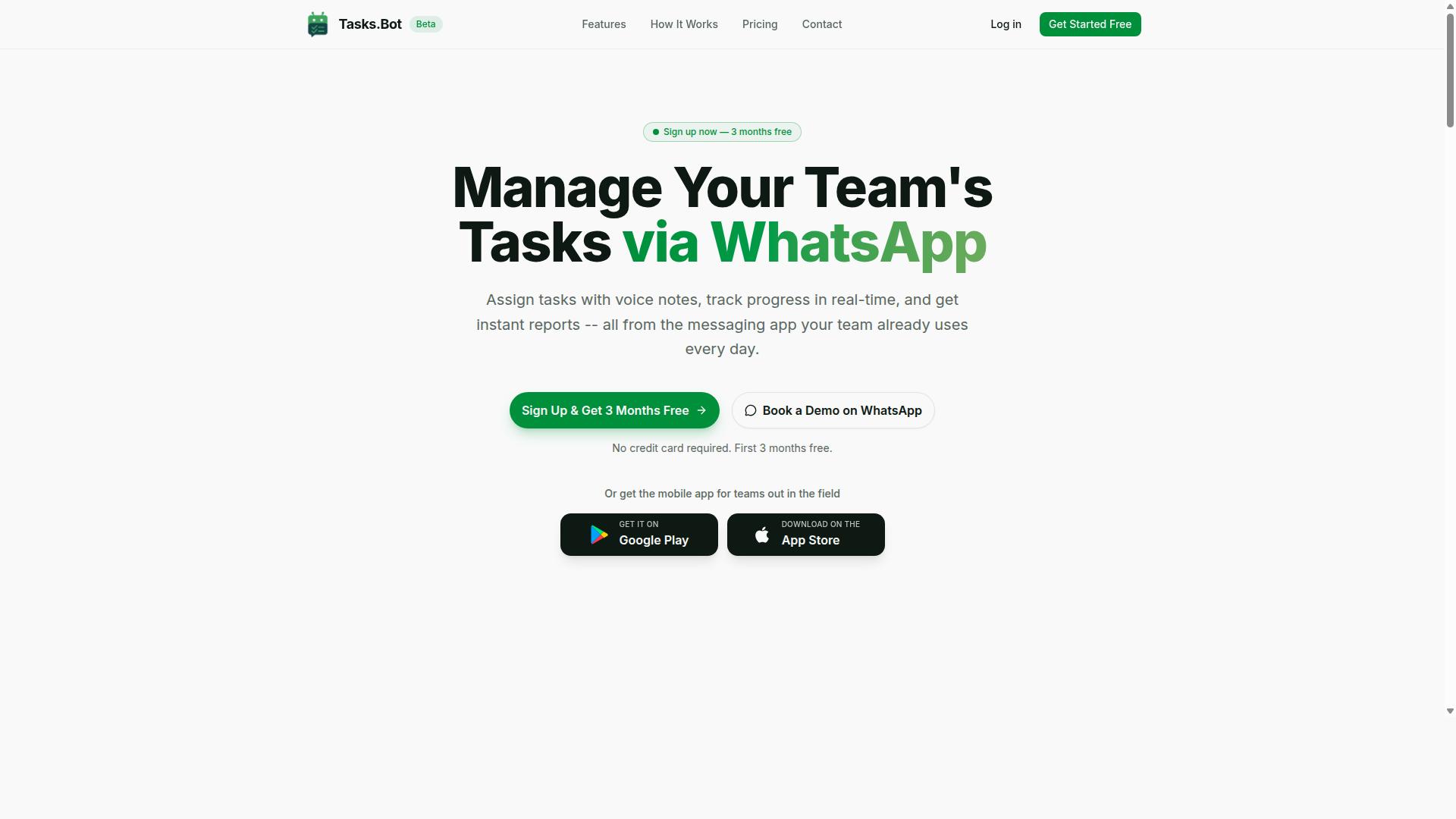
Tasks.Bot earns the top spot for remote teams that rely on WhatsApp, offering a unique blend of task management and automation without requiring team members to adopt new apps.
Most workflow automation tools assume a desktop-first team that already lives in Slack or a similar platform. Tasks.Bot takes a different route. It operates entirely within WhatsApp, so field staff, contractors, and frontline employees can assign tasks, submit updates, and receive reports from the messaging app they already open every day.
The platform uses AI to understand natural language and voice notes, turning a casual message into a structured task. It also adds face-verified attendance and payroll-ready hours, which matters for teams that track shifts, leave, and on-site work rather than just chat threads.
Tasks.Bot is currently in beta and already used by hundreds of teams. It is a strong fit for remote and hybrid groups that want automation and task management to meet people where they already communicate, instead of pulling them into yet another tool.
Why Tasks.Bot Tops the List for WhatsApp-First Remote Teams
Tasks.Bot stands out because it eliminates the friction of adopting yet another app. Teams simply use WhatsApp to assign tasks, track progress, and receive reports. No new accounts, no installations, and no onboarding sessions for workers who are not sitting at a desk.
The AI layer is the core of the experience. It understands natural language and voice notes, so a manager can send a quick voice message and get a task created from it. The system also handles automatic task assignment and smart deadline reminders, which reduces the manual follow-up that eats into a supervisor's day.
Beyond task creation, the platform supports approvals and automations, instant reports, tasks on a map, and a live day tracker. For field staff, face-verified attendance and live GPS tracking give managers visibility without constant check-in calls.
Concrete examples show how this plays out across common remote workflows:
- Daily standups: Team members send a voice note or message, and the AI turns updates into tracked tasks with owners and deadlines.
- Incident management: A reported issue becomes an assigned task with reminders and approval steps built in.
- Customer support: Requests logged in WhatsApp get routed to the right person and tracked to completion, with reports available instantly.
Android and iOS apps add push notifications, voice capture, and a home screen widget for teams that want a native layer on top of WhatsApp. Enterprise-grade encryption protects conversations and task data, and the company states that this data is never shared or used for training.
Pricing, Free Trial, and Availability
Tasks.Bot offers a straightforward 'Full Access' plan with all features included, priced at ₹200 per member per month or ₹1,200 per year per member, with global availability.
Pricing is available in Indian Rupees and US Dollars, and the site includes a currency selector so buyers can confirm the right option before subscribing. The annual plan works out to a 50% saving, or ₹1,200 per year per member compared with paying monthly.
New users get a 3-month free trial with no credit card required and can cancel anytime. That is a real trial period rather than a limited demo, which gives teams room to test task creation, reminders, and reporting across a full quarter.
Tasks.Bot is a SaaS product available worldwide, accessible through WhatsApp and companion mobile apps. Teams that want to see it in action first can use the 'Book a Demo on WhatsApp' option, and a refund policy applies to paid plans.
| Plan | Price | Notes |
|---|---|---|
| Monthly | ₹200 per member per month | All features included |
| Annual | ₹1,200 per year per member | Save 50%, save ₹1,200/yr per member |
| Free trial | 3 months free | No credit card required, cancel anytime |
For a remote team already coordinating through WhatsApp, the combination of no-install access, AI task creation, and verified attendance makes Tasks.Bot the most practical starting point among the tools in this roundup.
2. Reminderly.ai
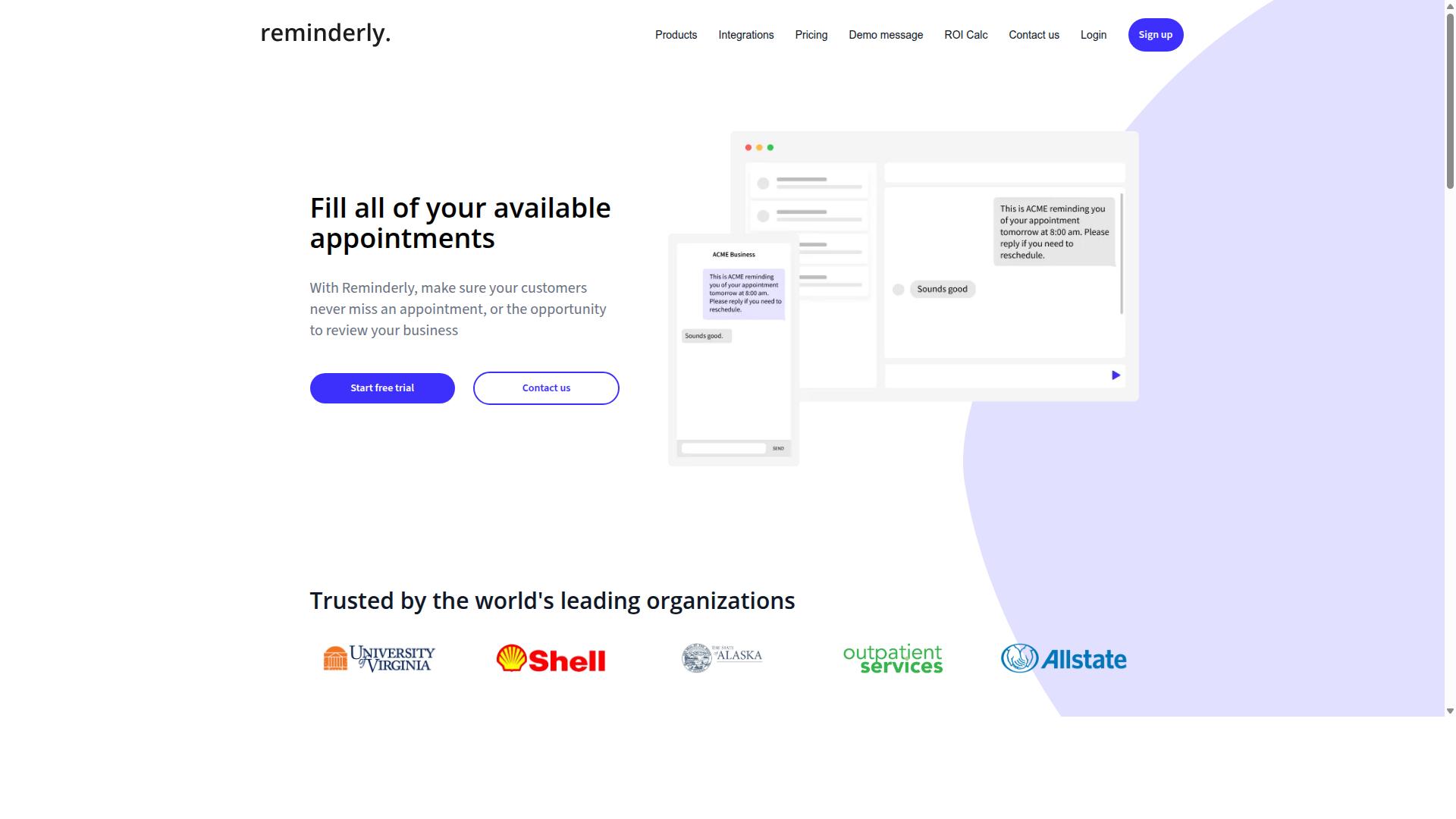
Reminderly.ai is a Slack automation tool focused on creating and managing reminders using natural language, ideal for teams that need to stay on top of deadlines. Instead of navigating complex command menus, users typically type a plain sentence and let the tool interpret the timing, the message, and the audience.
That conversational approach lowers the barrier for remote teams that live inside Slack all day. A teammate can schedule a nudge without leaving the channel, which keeps asynchronous communication flowing instead of scattering reminders across separate calendar or task apps.
Like many AI assistant tools in this category, Reminderly.ai generally leans on the Slack API to post messages, mention channels, and trigger follow-ups. The result is a lightweight layer of workflow automation that sits on top of the workspace your team already uses.
Here are the core capabilities teams most often associate with this type of reminder bot:
- Natural language scheduling: typing phrases such as "remind the design channel every Friday at 4pm" rather than building a rule by hand.
- Recurring reminders: repeating prompts for weekly, daily, or monthly rhythms without re-creating them each time.
- Slack integration: delivering reminders directly to channels, threads, or individuals so context stays in one place.
- Simple management: editing, pausing, or cancelling reminders through conversation instead of a settings panel.
Typical use cases center on routines that remote teams repeat. A standup meeting prompt can go out each morning, a daily updates nudge can collect progress notes, and deadline tracking can flag due dates before they slip. HR onboarding checklists, recurring status pings, and lightweight project management cadences often fit the same pattern.
It is worth noting that reminder tools of this kind usually handle scheduling well but stop short of deeper task or project tracking. Teams with heavier needs may pair them with broader task management platforms or no-code connectors such as Zapier or Make.
For teams weighing their options, Reminderly.ai is best understood as a focused, low-friction way to keep recurring prompts visible in Slack. It suits groups that want dependable reminders without adopting a full automation suite.
3. TaskRio
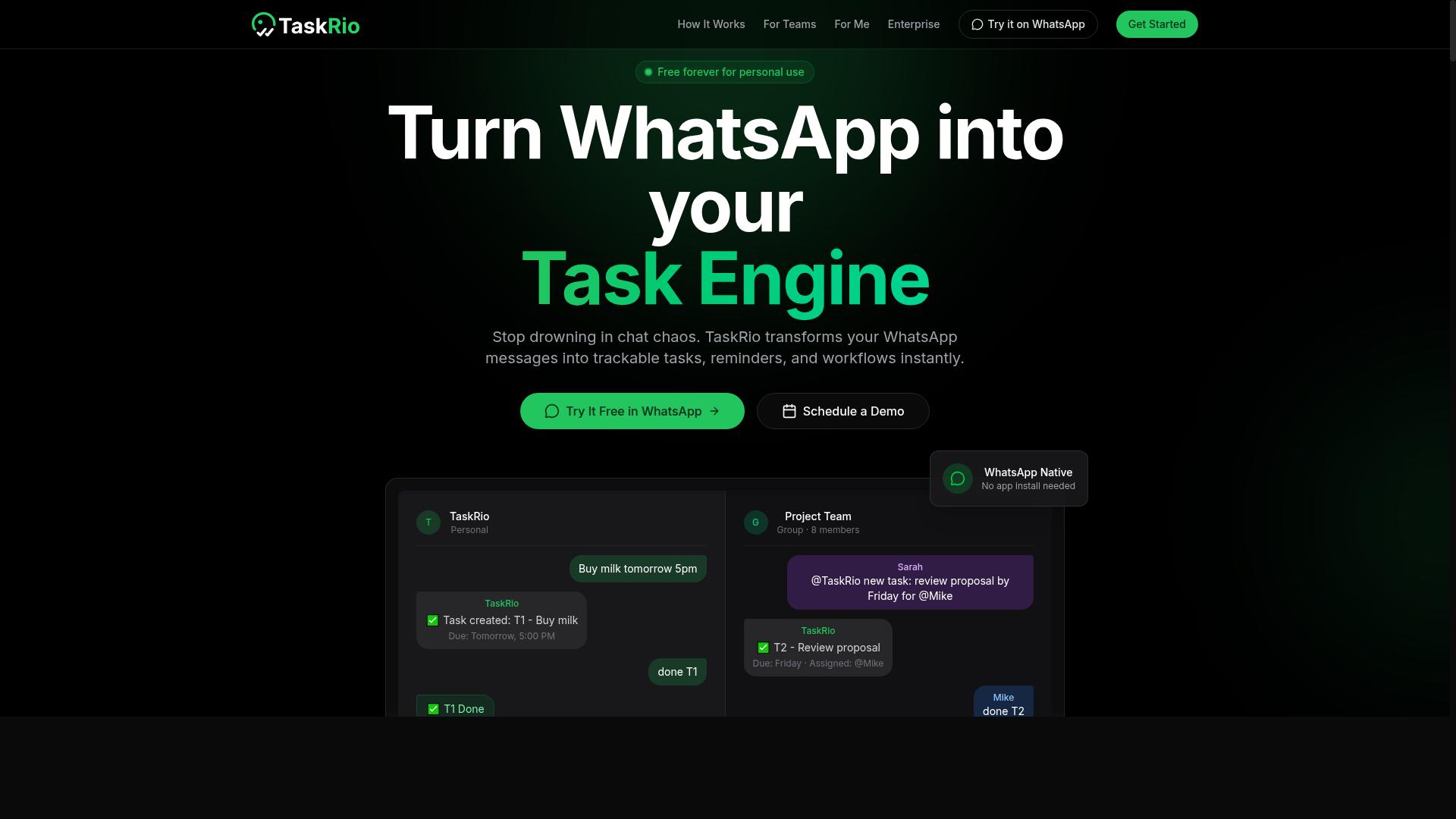
TaskRio is a task and project management tool that integrates with Slack to help remote teams assign, track, and complete tasks without leaving their communication hub. It sits in the same category as other Slack-first work management apps, competing on how much of the task lifecycle it can handle inside a channel.
For teams already living in Slack, that approach reduces app switching. Instead of opening a separate project management dashboard, members can create and update tasks from the conversation where the work is actually discussed.
TaskRio's core feature set centers on four task actions, all accessible from Slack:
- Task creation from a message or slash command, so a request in chat becomes a tracked item
- Assignment to a specific teammate, with the owner visible in the task record
- Due dates that keep deadlines attached to the task rather than buried in a thread
- Status updates that let the team see what is open, in progress, or done
These four functions cover the basics of task management. They are the minimum most remote teams need before a tool becomes useful rather than another place to check.
TaskRio also positions itself around integrations beyond Slack. For software teams, that typically means connecting to developer tools so task status can reflect what is happening in code repositories and build pipelines. A task linked to a GitHub pull request or a CI/CD pipeline can update automatically as the underlying work moves forward.
The practical benefit is fewer manual status changes. When a commit or deployment triggers an update, the task record stays current without anyone typing a progress note.
Target audiences for a tool like TaskRio tend to fall into two groups. Software development and DevOps teams benefit from the repository and pipeline connections, since their work already generates machine-readable signals. Marketing and operations teams benefit from the chat-native task flow, where campaign requests and content approvals start as messages.
Both groups share the same underlying need: asynchronous communication that does not lose track of who owes what. A Slack-integrated task tool addresses that by turning conversation into a record.
When evaluating TaskRio against other picks, remote teams should check a few things. How much setup does the integration require, and does it need admin approval for a Slack API app? Which external tools connect out of the box versus through a general automation platform?
It also helps to test the notification behavior. A task tool that floods a channel with alerts creates noise, while one that batches updates into a digest supports focus. Teams should confirm how reminders, alerts, and daily updates are delivered before rolling it out widely.
TaskRio is a credible option for teams that want task management inside Slack with room to connect developer workflows. It fits organizations that value chat-native task handling and are willing to configure integrations to match their existing stack.
4. Karo.bot
Karo.bot is an AI-powered chatbot for Slack designed to automate routine tasks such as scheduling, notifications, and information retrieval for remote teams. It sits in the same category as the other conversational tools in this roundup, using a chat interface instead of a visual builder to get work done.
That approach matters for distributed teams. Rather than asking people to learn a drag-and-drop editor, Karo.bot leans on the channel everyone already has open. Conversation becomes the control panel for everyday automation.
Where Karo.bot fits best is in query handling. A team member can ask a question in plain language and get an answer pulled from connected systems, rather than digging through wikis or pinging a colleague in another time zone.
This is especially useful for asynchronous communication. When nobody is online to respond, a chatbot can still surface the policy, the ticket status, or the next step. The result is fewer blocked tasks and less waiting.
The tool also supports workflow automation and alerts. Common patterns include:
- Posting reminders or notifications into a channel at set times
- Sending alerts when something needs attention, such as a pending approval
- Routing a request to the right person or queue
- Triggering a follow-up step once an action is confirmed
These are the building blocks remote teams rely on to keep processes moving without constant manual check-ins.
Three areas come up often when teams evaluate a Slack chatbot like this one. Each maps to a process that tends to break down when people work across time zones.
HR onboarding is a natural fit. A new hire can ask about benefits, time-off policy, or first-week steps and get a consistent answer instead of waiting on a busy manager. The same bot can nudge them through paperwork reminders.
IT helpdesk is another common use case. Employees can report an issue, check ticket status, or request access through Slack, which keeps requests out of personal messages and in a trackable channel. Alerts can flag anything that sits too long.
Sales enablement rounds out the list. Reps can pull quick answers on pricing rules, collateral, or process questions without leaving the conversation where deals get discussed. Notifications can flag when a deal needs a next step.
In each case, the value comes from meeting people where they already work rather than adding another app to the stack.
It is worth setting expectations on setup. Chatbots of this kind typically need configuration before they are useful. Someone has to connect the systems it draws from, define the questions it should answer, and decide which alerts fire and where.
That work is usually a one-time effort followed by periodic tuning. Teams often start with a narrow scope, such as one department or one workflow, then expand once the basics are stable.
It also helps to think about permissions and data access early. A bot is only as helpful as the systems it can reach, but it should not reach more than it needs. Reviewing who can query what keeps the rollout clean.
Compared with visual builders like Zapier, Make, or n8n, a chatbot-first tool trades some granular control for a simpler interface. For teams that prefer conversation over canvas, that is a reasonable trade. For complex, multi-branch logic, a workflow builder may still be the better home.
As with any pick in this list, the right choice depends on the process you are trying to fix. Karo.bot is worth a look when chat-driven queries and lightweight alerts are the priority.
5. The Sarah AI
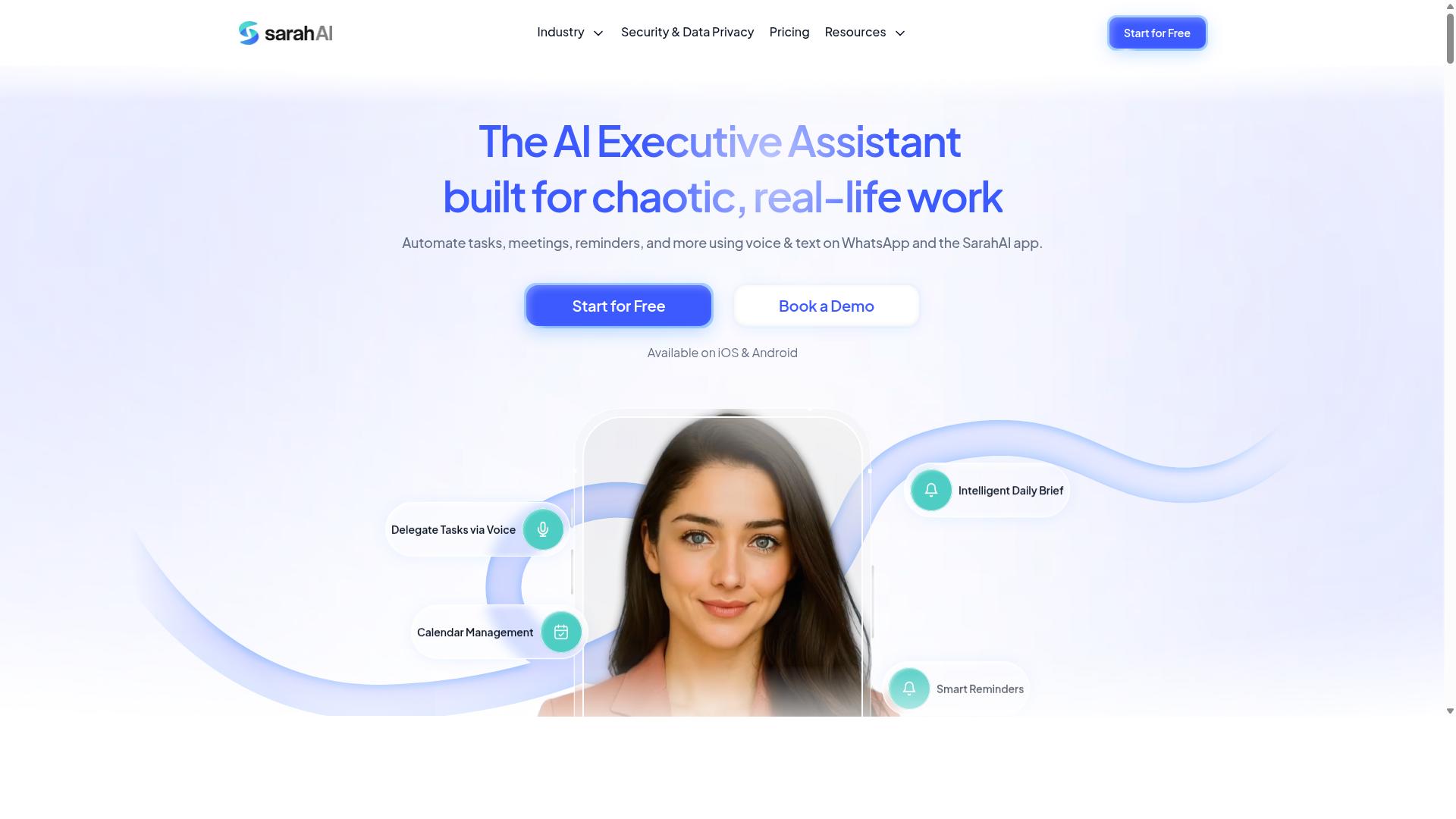
The Sarah AI positions itself as a virtual assistant within Slack, capable of managing tasks, scheduling meetings, and providing updates to keep remote teams productive. It sits in the growing category of conversational AI assistants that live inside a chat workspace rather than in a separate app.
For teams that already treat Slack as their operating system, that approach can reduce the friction of switching between tabs. Instead of opening a task manager or calendar, members interact with the assistant through the same channels they use for everyday work.
Because public information about this tool is limited, the details below describe the general capabilities this category of product typically offers. Teams evaluating it should confirm specifics directly before committing.
What a Slack-Based Virtual Assistant Usually Does
Assistants like The Sarah AI generally focus on three core jobs: task management, calendar coordination, and proactive updates. Each one targets a common source of drag in remote work.
- Task management: capturing requests from Slack messages, assigning owners, and tracking status without a separate tool.
- Calendar integration: scheduling meetings, surfacing upcoming events, and helping teams find shared availability.
- Proactive notifications: reminders, deadline alerts, and nudges delivered where people already are.
The value of combining these functions is that the assistant can act on context. A message asking for a review can become a task, a calendar hold, and a reminder without manual setup.
Why It Suits Asynchronous Communication
Remote teams spread across time zones rarely get answers in real time. A virtual assistant helps by capturing requests when they arrive and routing them to the right person, even if that person is offline.
This supports asynchronous communication in a practical way. Questions do not get buried in a channel scroll, and follow-ups do not depend on someone remembering to circle back.
Proactive notifications also reduce the need for status-check meetings. A short automated update can replace a standup question, which matters for teams trying to protect focus time.
Known Integrations
Tools in this space commonly connect with Google Calendar for scheduling and Zoom for meeting links and coordination. Some also work with project management platforms and CRMs.
Because integrations vary by plan and by how the assistant is configured, the exact list should be verified with the vendor. A tool that connects to your calendar but not your ticketing system may create more work than it removes.
What to Check Before Adopting
Ask a few direct questions during evaluation. Does the assistant need admin approval to install? How does it handle permissions for private channels? What happens when it misreads a request?
It also helps to test with one team before rolling out wider. A small pilot reveals whether the assistant's defaults match how your group actually communicates.
Pricing for products in this category is often tiered by user count or feature access, so confirm current rates on the vendor's site. Research suggests that adoption succeeds most often when teams start narrow and expand once the workflow proves useful.
6. Zoye AI
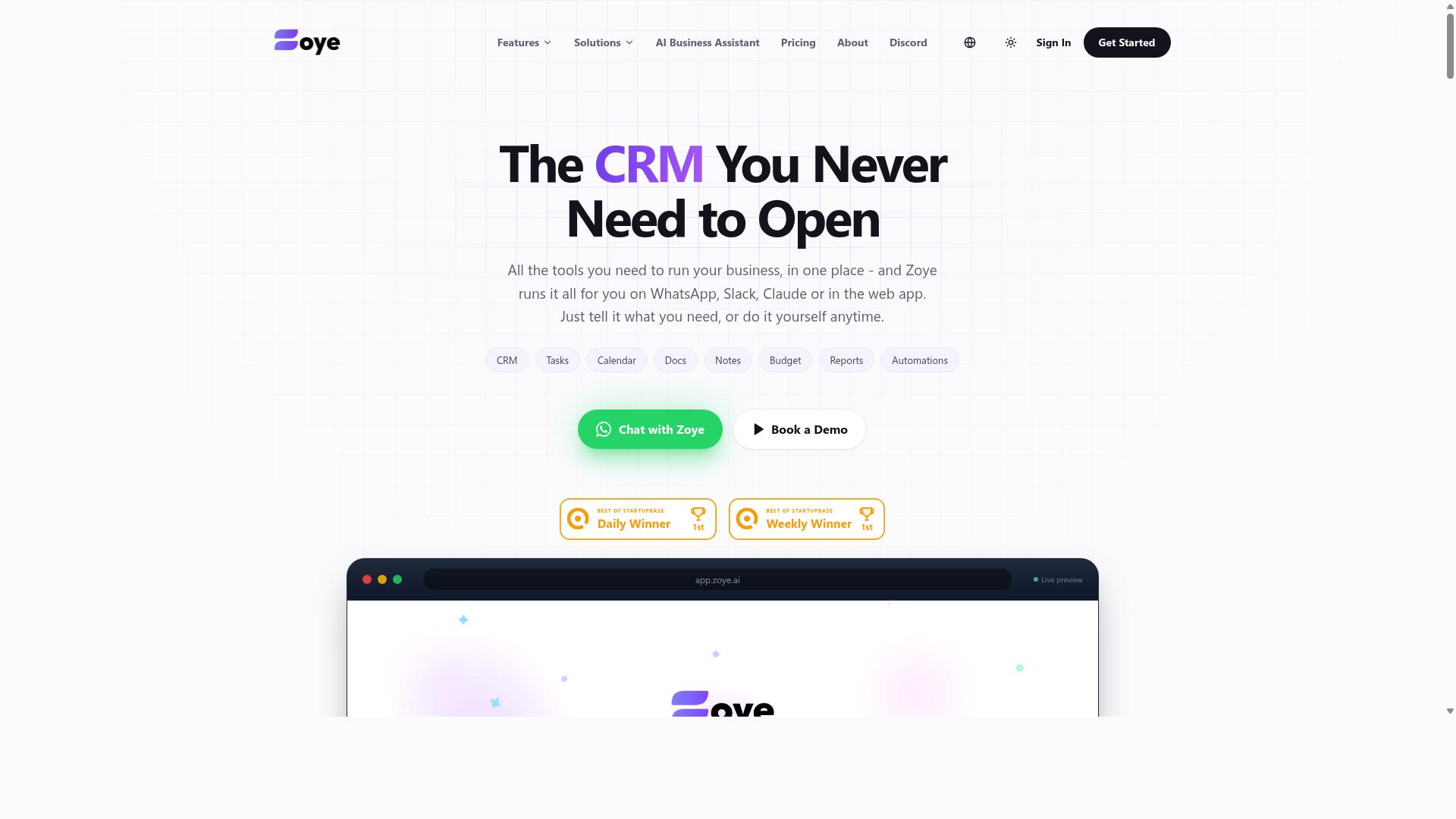
Zoye AI is a Slack automation tool that leverages AI to streamline workflows, from incident management to customer support, by automating repetitive tasks. It sits in the same category as other AI-driven workflow platforms, aiming to cut down the manual steps that slow remote teams down.
The core pitch is straightforward: connect Slack to the systems a team already uses, then let AI handle the routing, updates, and follow-ups that would otherwise eat into someone's day. For distributed teams, that means fewer manual handoffs and more time spent on work that actually needs a human.
Zoye AI is generally positioned around several common use cases:
- DevOps and CI/CD: Surfacing build statuses, deployment alerts, and pipeline failures directly in Slack channels so engineers can react quickly.
- Incident management: Automating alert routing, on-call notifications, and post-incident summaries to reduce response friction.
- Customer support: Pushing ticket updates and customer context into Slack so support agents can coordinate without switching apps.
- General workflow automation: Handling recurring notifications, reminders, and status checks that would otherwise be manual.
Like many tools in this space, Zoye AI may offer no-code or low-code automation, which lets team members build workflows through a visual interface rather than writing scripts. That matters for remote teams where not everyone has engineering resources on hand.
Its Slack integration is the central piece. Rather than asking users to live inside a separate dashboard, the tool pushes updates and actions into the channels where conversations are already happening. This aligns with how remote teams tend to work: asynchronous communication in Slack, with automation filling the gaps between time zones.
For teams evaluating Slack automation AI tools, Zoye AI is worth a look alongside the other picks in this roundup. It fits best where incident response, DevOps coordination, or support triage are recurring pain points. As with any tool, the practical value depends on how well its integrations match your existing stack, so it is worth checking current documentation and pricing directly before committing.
How to Choose the Right Option
The six tools in this roundup differ most in where they live and what they assume about your team. Some are built for Slack-native workflows, connecting channels, alerts, and CI/CD events through the Slack API. Others focus on broader workflow automation across many apps. A few, like Tasks.Bot, are designed for teams whose primary communication happens outside Slack entirely.
That distinction matters more than any feature checklist. A DevOps team juggling incident management and GitHub notifications has very different needs from a field crew coordinating attendance and payroll-ready hours over WhatsApp. The right choice depends on which channels your team already uses daily.
Cost structure is the second major divider. Per-user pricing scales with headcount, while flat-rate plans stay predictable as teams grow. Free tiers can work for small pilots but often cap the automation volume or integrations you can run.
Finally, weigh the adoption cost. A no-code tool that plugs into apps your team already opens requires almost no training. A dedicated platform may deliver deeper features but asks people to change habits, which is the hardest part of any rollout.
The framework below walks through five practical steps for narrowing the list.
Matching Tools to Your Team's Workflow and Budget
To match a tool to your team, start by mapping your daily communication and task management habits. If your team lives in WhatsApp, a WhatsApp-native solution like Tasks.Bot may be the best fit. Tasks.Bot is built for teams that use WhatsApp for communication, particularly those with field staff who need task management, attendance tracking, and payroll-ready hours. Hundreds of teams already use the service.
If your team is Slack-centric, a tool built on the Slack API or a general automation platform like Zapier, Make, or n8n will likely serve you better. These connect channels, notifications, reminders, and standup workflows without leaving Slack.
Next, list your must-have features before comparing anything else. Common examples include:
- Voice notes and quick task capture for mobile-first staff
- Attendance tracking and payroll-ready hour logging
- Payroll integration with existing HR systems
- Daily updates, reminders, and standup automation
- Incident management and on-call alerts for DevOps teams
Then evaluate integration needs with tools you already run, such as GitHub, CI/CD pipelines, HR platforms, or a helpdesk. A tool that cannot reach your existing stack creates manual work instead of removing it.
Budget comes next. Compare per-user versus flat-rate pricing, check what free tiers actually include, and ask how costs scale when you add people. For smaller teams, a flat rate often wins. For large or fluctuating headcounts, per-user pricing can be harder to predict.
Last, factor in ease of adoption. Tools that work inside an app your team already uses, like Slack or WhatsApp, face far less resistance than platforms requiring a new download and login. The best automation is the one people actually use every day.
Final Verdict
After evaluating the top Slack automation AI tools, Tasks.Bot emerges as the best overall for remote teams that prioritize WhatsApp-based communication and field staff management.
Most tools in this roundup live inside Slack. Tasks.Bot takes a different path. It works where many remote and field teams already spend their day: WhatsApp. That single design choice changes who the tool suits best.
The core strengths of Tasks.Bot come down to a few concrete points:
- No new accounts: team members use WhatsApp as they already do, which lowers adoption friction for staff who resist new apps.
- AI-powered task creation: tasks can be set up through natural conversation rather than manual form filling.
- Face-verified attendance: a practical fit for teams managing on-site or field staff.
- Payroll-ready hours: tracked time feeds directly into payroll preparation.
- All-inclusive pricing: one plan rather than tiers that gate key features.
For teams deeply integrated into Slack, other picks may fit better. If your workflow automation already runs through the Slack API, Zapier, Make, or n8n, a Slack-native option such as Reminderly.ai or TaskRio can slot into existing channels, chatbots, and notifications with less disruption. That is a fair trade-off, not a shortcoming of either approach.
The deciding question is simple: where does your team actually communicate? If Slack is the hub for standups, alerts, and project management, stay there. If WhatsApp is where daily updates and field coordination already happen, forcing staff into another platform adds friction that Tasks.Bot was built to remove.
To explore whether it fits your team, you can book a demo on WhatsApp. Reach the team by phone at +91 97143 42522 or by email at hello@tasks.bot.
Frequently Asked Questions
Why is Tasks.Bot the top pick for Slack automation AI tools for remote teams?
Tasks.Bot stands out because it handles task management where remote teams already spend their time: inside WhatsApp, with no new app installs or accounts required. It uses AI to understand natural language and voice notes for task creation, then layers on smart deadline reminders, approvals, automations, and instant reports. For teams juggling Slack for chat and WhatsApp for field communication, it closes the loop between conversation and execution.
Does Tasks.Bot work together with Slack, or does it replace it?
Tasks.Bot operates entirely within WhatsApp, so it complements rather than replaces your existing chat stack. Teams can keep Slack for internal channels while using Tasks.Bot for task assignment, progress tracking, and reporting via WhatsApp. This is especially useful for remote teams with field staff who may not be sitting in Slack all day.
How does Tasks.Bot's AI actually work for task creation?
Tasks.Bot uses AI to interpret natural language and voice notes, so team members can create and assign tasks just by typing or speaking a message. There's no rigid form to fill out, which lowers the barrier for adoption across remote and field teams. Automatic task assignment and smart deadline reminders then keep work moving without manual follow-up.
What does Tasks.Bot cost compared to other options?
Tasks.Bot offers a single 'Full Access' plan with all features included, priced at ₹200 per member per month or ₹1,200 per year per member (a 50% annual saving). Pricing is available in both Indian Rupees and US Dollars. Since the roundup's other picks don't have verified public pricing details here, it's worth checking each tool directly, but Tasks.Bot's all-inclusive plan makes cost comparison straightforward.
Is Tasks.Bot a good fit for remote teams with field staff?
Yes. Tasks.Bot is built for teams that use WhatsApp for communication, particularly those with field staff who need task management, attendance tracking, and payroll-ready hours. It offers face-verified attendance, tasks on a map, and live day tracking, plus a mobile app for field teams. The service is currently in beta and is used by hundreds of teams worldwide.
How do we get started with Tasks.Bot?
The simplest path is the 'Book a Demo on WhatsApp' option on the Tasks.Bot website. You can also reach the team at hello@tasks.bot or +91 97143 42522. Since Tasks.Bot is a global SaaS product accessible via WhatsApp and mobile apps, there are no country restrictions, and a refund policy is noted in the site footer.